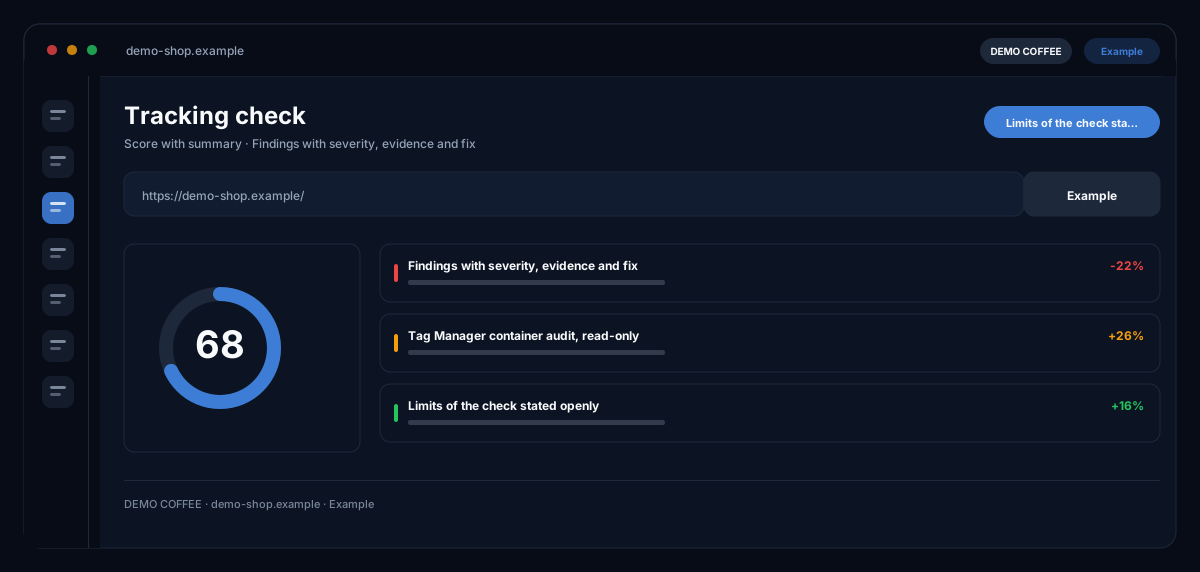
What does the Tracking check module do?
The ecomDNAI tracking check reads your shop's source code and shows which tags, pixels, e-commerce events and consent platform are in place, and where something is missing or running twice. On request it also checks your Google Tag Manager container from the inside, read-only, and sums everything up in a report with a score.
You enter the shop address and up to three more pages, such as product, cart and checkout. The module reads the delivered source code and finds Tag Manager containers, GA4 and Google Ads IDs, Meta, TikTok, Pinterest and LinkedIn pixels, e-commerce events and the consent platform. On request it also checks your Google Tag Manager container from the inside, read-only. A report with a score sorts the findings and states openly what this check cannot see.
How it works
- Enter the shop URL and up to three more pages
- Optionally connect Google Tag Manager and choose a container
- Read the report: score, findings with evidence and a concrete fix
What you get
- Score with summary
- Findings with severity, evidence and fix
- Tag Manager container audit, read-only
- Limits of the check stated openly
Typical use cases
After a theme change
You enter the homepage, a product page, the cart and the checkout. The check shows duplicate Tag Manager snippets, hard-coded gtag next to Tag Manager and old Universal Analytics IDs, each with evidence and a fix.
Purchase data for GA4 and Google Ads
The check looks for e-commerce events in the dataLayer and verifies that value, currency and items are passed along. Whether an event really fires on click is named as a limit in the report, with a pointer to Tag Assistant.
Clean up the container
With Google Tag Manager connected, the module reads the published version of your container: tags without triggers, paused tags, unused triggers, duplicate GA4 configuration, Google Ads without the conversion linker and unpublished changes. Nothing in the container is changed.
Who it's for
Shop owners, performance marketers and agencies who want to know whether their tracking is complete before a campaign or after a relaunch. The check delivers findings and fixes; you implement them in Tag Manager or in the shop. It is not legal or data protection advice.
Frequently asked questions
What does the tracking check detect?
Google Tag Manager containers, GA4 and Google Ads IDs, the conversion linker, old Universal Analytics IDs, Meta, TikTok, Pinterest and LinkedIn pixels, e-commerce events in the dataLayer, the consent platform from a fixed list and the gtag consent default.
What can the check not see?
It reads the delivered source code and does not run JavaScript. What Tag Manager only loads at runtime and whether events really fire on click are things to verify in Tag Assistant. Server-side tagging and Matomo are not detected; the report states its limits every time.
What happens in the container audit?
You connect Google Tag Manager in your profile and choose a container. The module reads the published version read-only; it creates nothing, changes nothing and publishes nothing. While Google's app review is still running, company workspaces may block the connection.
Does the check replace a data protection review?
No. It shows whether a consent platform and a consent default are in place and which tags run without a consent setting. Whether your banner is legally sufficient is not something it judges.
What does a check cost?
The page check and the container audit are billed per run in credits, through a plan or pay-as-you-go. If a run fails, no credits are charged.