What does the Newsletter module do?
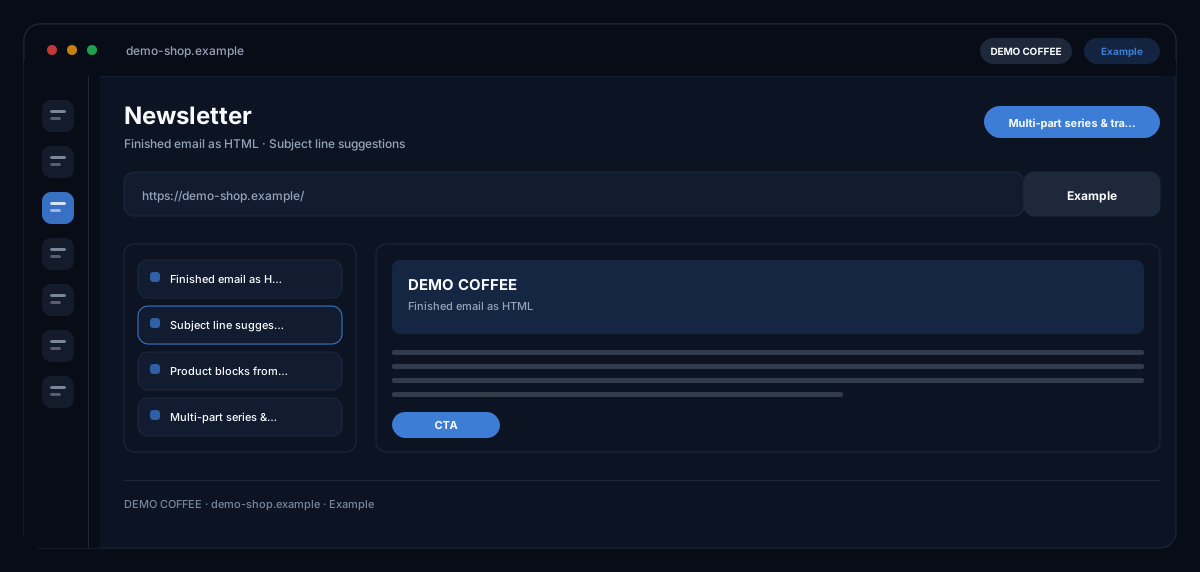
The Newsletter module by ecomDNAI builds emails from blocks — text, image, product, button — with products from your shop, subject line suggestions and a pre-send check, and delivers finished HTML that runs in any email service; unsubscribe link and sender details are in place as the law requires.
The newsletter is built from blocks: text, image, product, button. Products come straight from your shop, the AI suggests subject lines, and a test send goes to your own address first. The HTML export works in any sending service, and the unsubscribe link and sender details are in place as the law requires.
How it works
- Pick a template and assemble the blocks
- Insert shop products, set subject line and design
- Check the test send, then export the HTML or build a series
What you get
- Finished email as HTML
- Subject line suggestions
- Product blocks from your shop
- Multi-part series & translations
Typical use cases
Promotion newsletter with products from the shop
You choose a template, describe occasion and offer and add products from the connected Shopify store as product blocks — price, stock and image can be refreshed live before export. The AI suggests subject lines; whether the preheader complements the subject is checked before sending.
Check before sending
The pre-send check flags a missing subject or preheader, a missing call to action, spam risk and an imbalance of images and text; the AI deep review reads the mail like a recipient would. A test mail goes to your own address.
An automated series, after cart abandonment for instance
Instead of one mail you generate a series of three mails, days apart, each building on the last — one job per mail. Your email tool does the sending; the module delivers the finished HTML mails.
Who it's for
Shops with a regular newsletter, marketing teams that want to build emails without HTML skills, and agencies delivering mails for clients into their email service. The module builds and checks the mail — sending happens from your email tool, to your recipients.
Frequently asked questions
Does the module send my newsletter?
No — not to your recipients. You export the HTML (copy, download or as ZIP) and load it into your email service; for Emarsys, Rapidmail and HubSpot the module can create a draft directly in the account. A test mail goes only to your account's address.
What about the unsubscribe link and sender details?
Both are mandatory and checked before export: sender address from the profile or in the footer, sender name and email, an unsubscribe link as a URL or as a placeholder your email tool fills in itself. If something is missing, export is blocked until it is added.
Can I use my own templates?
Yes. Use the template gallery, save your own newsletters as templates or upload an HTML template — its text is taken as the starting point; layout and blocks are built in the editor.
Do I need a brand identity?
Yes. Colours, logo and tone of voice come from your brand profile; without a brand identity the module points that out and you set it up in your profile first.
Is the newsletter available in several languages?
Yes. From a finished mail you create language variants; layout and blocks stay the same. Results from the Competition analysis or the Partner Program can be taken into the newsletter as a briefing.
What does a newsletter cost?
Generation, language variants, series, AI deep review, test mail and platform draft are billed in credits — through a plan or pay-as-you-go; the module shows the requirement before each step.