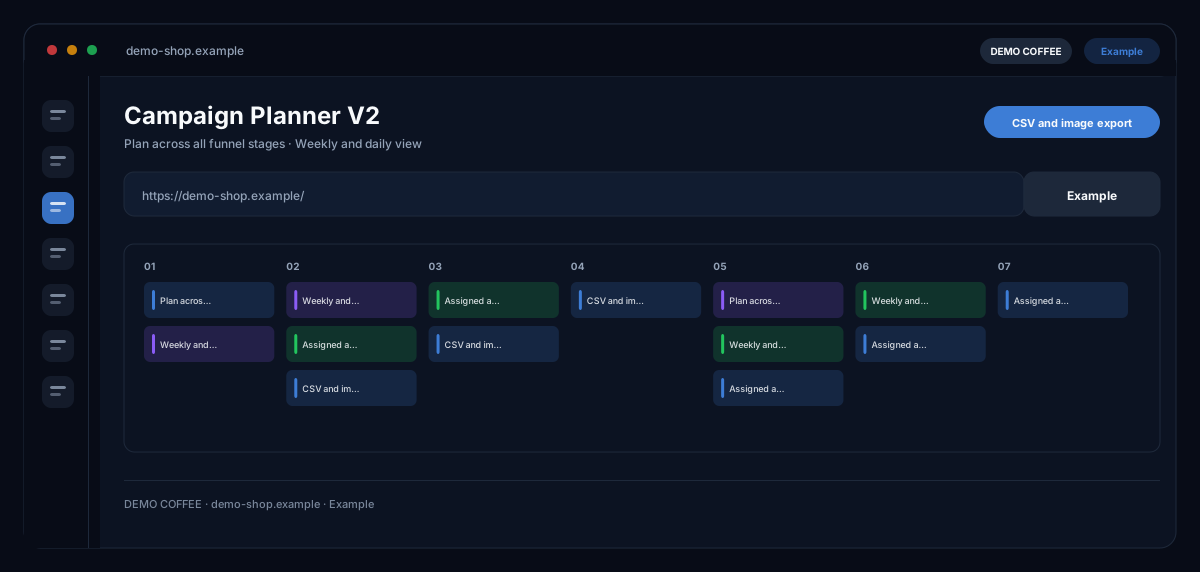
What does the Campaign Planner V2 module do?
Campaign Planner V2 by ecomDNAI reads your website and knowledge base and builds a campaign plan across the whole funnel — from awareness to advocacy — with weekly and daily views, brand guardrails and the planned assets attached to the day they belong to.
The planner reads your website and knowledge base and builds a campaign plan across the whole funnel — from awareness to advocacy. Brand guardrails define what the AI may and may not say. Planned assets hang directly off each day.
How it works
- Choose website and knowledge base as the basis
- Set brand guardrails and rules
- Generate the plan: funnel stages, weekly and daily view
What you get
- Plan across all funnel stages
- Weekly and daily view
- Assigned assets
- CSV and image export
Typical use cases
Plan a campaign in conversation
The planning chat asks the right questions — website, goal, audience, budget, vouchers — and moves the brief into the form automatically. From several campaign ideas you choose the core idea; then funnel strategy, weekly plan and, on request, the daily plan are created.
Set guardrails for the brand
Words the AI should avoid, preferred colours and rules from the brand identity define what may be said. Save settings that prove themselves as a rule and apply them to the next campaign.
From plan to execution
Per channel the planner creates texts and image assets with logo and CTA, shares the calendar as .ics or a subscription link with the team and sets up a queue in the Execution Center — the modules then work through the plan step by step.
Who it's for
Shops and brands that want to plan a whole campaign rather than single posts, marketing teams with fixed campaign periods, and agencies aligning plans with clients. The planner proposes structure, content and dates — approval, budget and publishing remain your decision.
Frequently asked questions
What sets the planner apart from the Content Calendar?
The Content Calendar plans topics and posts per channel. Campaign Planner V2 builds an entire campaign across the funnel stages — with strategy, KPIs and risks, promotions, budget split, daily plan and assets per channel — and hands it to the executing modules.
What are brand guardrails?
Rules that apply to every generation: words to avoid, preferred colours, requirements from your brand identity. They can be saved as a preset and reused for further campaigns.
Does the planner work out my budget?
The budget calculator spreads your total budget across the funnel stages and estimates impressions and clicks — solely from the CPC or CPM values you enter yourself from your ad account. Without your own values there is no forecast, and the module calls the result a rough estimate, not a promise.
Can I repeat or compare a campaign?
Yes. A saved campaign serves as a template with a new start date; the comparison tab puts two plans side by side and shows the differences. Automatic backups keep earlier states.
How do I share the plan with the team?
As a calendar file (.ics), as a subscription link the team's calendar can subscribe to, or as a share within the workspace. The subscription link is the access to the plan — share it internally only and revoke it in the module if needed.
What does a plan cost?
Plan, promotion suggestions, daily plan, channel texts and channel images are billed in credits — through a plan or pay-as-you-go; the module shows before generation which steps cost what. The planning chat itself is part of the module and has a daily limit.