What does the SEA Ad Generator module do?
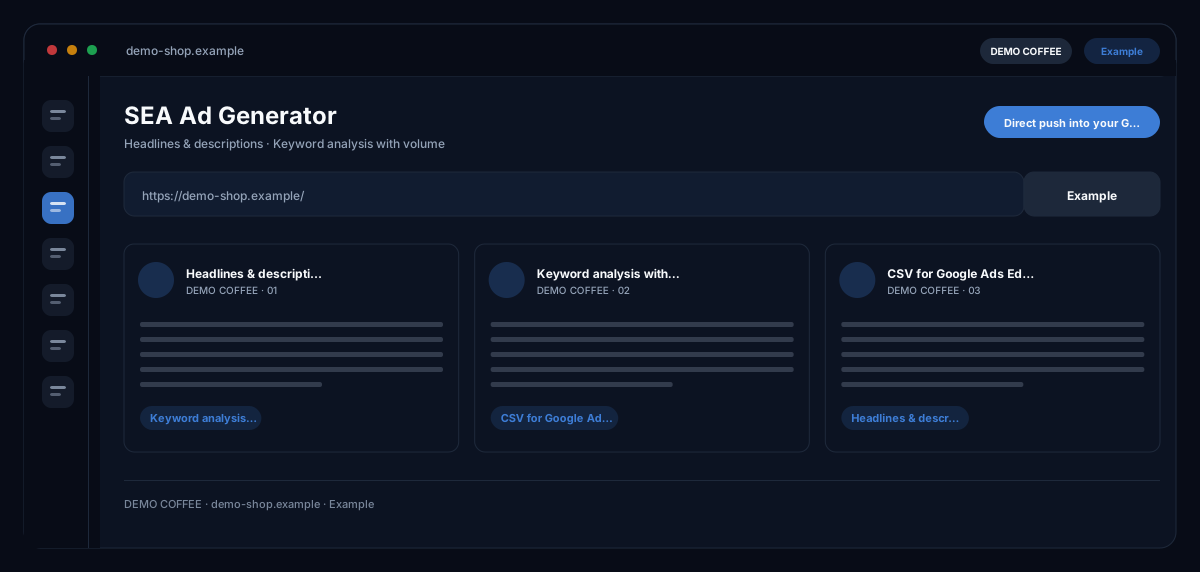
The SEA Ad Generator by ecomDNAI writes finished search ads from your website URL and target keywords: headlines up to 30 and descriptions up to 90 characters, as Google requires — in several variations and languages, checkable, exportable and pushable straight into your Google Ads account.
Website URL and target keywords in, finished ads out — headlines and descriptions within Google's length limits. An AI keyword analysis shows volume and competition up front. If a line doesn't fit, you refine it in the chat instead of regenerating everything.
How it works
- Enter website URL, target keywords and number of variants
- Choose the ad language, optionally run the AI keyword analysis
- Generate ads, refine them in chat, export or push them to your account
What you get
- Headlines & descriptions
- Keyword analysis with volume
- CSV for Google Ads Editor
- Direct push into your Google Ads account
Typical use cases
New campaign for a product
You enter the product page and three to five keywords — or let the AI keyword analysis estimate search volume and competition and adopt the fitting suggestions. Out come several ad variations with headlines and descriptions at the right length, which you load into Google Ads Editor as CSV or push straight into the connected account.
Improve existing ads
Through the Google Ads import you bring ads from your account into the module, rework them in the AI assistant ("make the tone more urgent", "suggest a discount CTA") and keep every version in the history. There is no direct overwrite in the account — you review the new version and publish it yourself.
One campaign in several countries
You choose several ad languages in one run or translate finished ads in the translations tab. With brand identity switched on, brand names and tone of voice stay the same in every language.
Who it's for
Shop owners and marketing teams who run their own Google Ads campaigns, and agencies that deliver ad copy for several clients regularly. The module writes and rates variations — strategy, budget and the decision what goes live remain with you.
Frequently asked questions
Do the ads respect the Google Ads character limits?
Yes. Headlines are limited to 30 characters, descriptions to 90 — the model is bound to that, and the results view rates every ad by relevance, call to action and character usage.
Can I push the ads straight into Google Ads?
Yes, with a connected Google Ads account. Before the push the module shows which account it targets, and you set the daily budget. Without a connection you export a CSV for Google Ads Editor.
Is there an export for Microsoft Advertising (Bing) too?
Yes. Besides the plain CSV, the export offers a Google Ads Editor format and a bulk file for Microsoft Advertising. Ads are generated by the Google Ads rules; the import into Microsoft Advertising is done through the bulk file.
What does the AI keyword analysis do?
It suggests keywords for your website and category and orders them by estimated search volume, competition and type (short-tail, long-tail, brand). You add the selected keywords to the target list with one click. The analysis is a separate step billed in credits.
Are my brand guidelines taken into account?
With the "Use my brand identity" switch, brand names, tone of voice and target audience from your profile flow into the ads. You set up the brand identity once in your profile and use it across all modules.
What does a run cost?
Generation is billed in credits — through a plan or pay-as-you-go. The module shows the credit requirement before the start; refining in the AI assistant and the export are part of the module.